Free · No signup · Private
Build a resume that
gets you hired.
Omni Resume is a professional resume builder with 500+ original templates, a real-time editor, ATS optimization, and a complete library of 200+ career guides.
- No credit card
- Data stored locally
- Print/PDF ready
- Templates
- 500+
- Career guides
- 200+
- Original assets
- 500+
- Cost
- Free
How it works
Three steps from blank page to interview-ready
Omni Resume removes every obstacle between you and a finished, professional resume. No sign-up, no watermarks, no paywall.
-
01
Pick a template
Browse 500+ templates organized by industry, career stage, and style. Filter for ATS-friendly layouts, preview full-screen, and favorite the ones you like.
Browse templates → -
02
Fill in your details
Use the editor to add your summary, experience, education, skills, projects, and more. Reorder sections, duplicate entries, and use keyboard shortcuts.
Open the editor → -
03
Export and apply
Print or save as PDF with dedicated A4 and Letter styles. Multi-page resumes paginate cleanly. Cover letters use the same data.
Build a cover letter →
Template library
500+ original templates across 10 design families
Every template is drawn from scratch — no shared assets, no resold files. Each family has its own typographic voice and spacing system.
Product features
Everything a serious resume builder should have
Built from scratch as a static, mobile-first web application. No backend, no tracking, no ads — just a fast, focused tool.
Structured editor
Fourteen resume sections, drag-to-reorder, duplicate, delete, and keyboard shortcuts. Autosaves every change.
ATS optimization
Semantic HTML, standard section headings, no text-box traps. Filter templates by ATS flag and run the built-in check.
Real-time preview
Preview updates instantly as you type — no save button, no refresh. Multi-page resumes paginate before export.
Photo & avatar library
Choose from 100 original illustrated avatars or upload your own photo. Adjust size, shape, position, and visibility.
Local-only privacy
Your resume data never leaves your device. No accounts, no server sync, no analytics on personal content.
Print & PDF export
Dedicated print styles for A4 and Letter. Correct margins, page breaks, and hidden editor chrome.
Cover letter builder
Reuse your resume data to generate a matching cover letter. Same design language, same typography.
Favorites & recents
Favorite templates, examples, and articles. Recently viewed items appear on your dashboard so you can pick up where you left off.
Fast & offline-ready
Installable PWA. Once loaded, the app works offline. Optimized for low-end Android devices and slow networks.
Inside the editor
A real editor, not a form
The Omni Resume editor is built as a proper document editor with undo, redo, autosave, section reordering, and instant preview. On mobile, it becomes a bottom-sheet experience with collapsible section panels.
- Undo / redo with keyboard shortcuts
- Drag to reorder sections and bullet points
- Per-template design panel (fonts, spacing, colours, layout)
- Autosave to IndexedDB with version history
- Print preview before export
- Multiple resume drafts side by side
Avatar library
100 original professional avatars
Every avatar is hand-drawn in SVG and grouped by professional archetype. Use them as-is, or upload your own photo.


Video library
20 walkthroughs to guide every step
Short, focused video tutorials covering resume writing, template selection, ATS, cover letters, and interview preparation.
Create a resume from scratch
Set up a new resume, choose a template, and add your first section.
Build an ATS-friendly resume
Avoid layout traps that break Applicant Tracking Systems.
Interview preparation essentials
Structure your answers with the STAR method and stay on message.
Write a matching cover letter
Reuse your resume data to write a tailored cover letter fast.
Resume examples
See a real example before you write yours
Profession-specific examples with annotated strengths, common mistakes, and a direct link to a matching template.
Software Engineer
Backend, frontend, and full-stack variants with metric-driven bullets.
Product Manager
Outcome-led bullets, cross-functional scope, and roadmap ownership.
Data Analyst
Tooling, dashboards, and business impact framed for hiring managers.
Marketing Manager
Campaign reach, pipeline growth, and channel ownership in numbers.
Teacher
Lesson outcomes, classroom results, and student growth evidence.
Career Changer
Transferable skills framing and a narrative-first structure.
From the blog
200+ original career guides
Long-form, practical articles on resume writing, ATS, cover letters, LinkedIn, interviews, and career transitions.
The complete ATS resume guide
How Applicant Tracking Systems parse your resume, what breaks them, and how to design around the constraints.
Resume summary examples that work
Twelve original summary paragraphs across roles, with a formula you can adapt to any career stage.
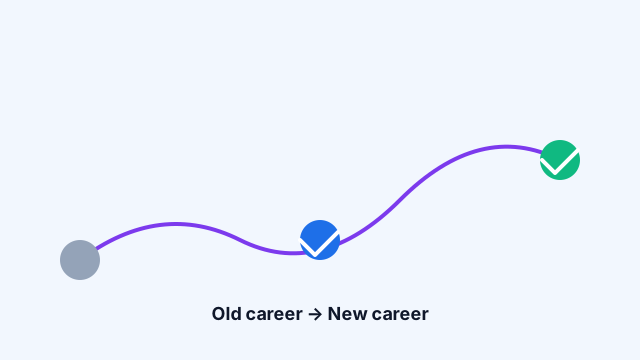
How to write a career change resume
A step-by-step process for reframing unrelated experience into a compelling, focused narrative.
Career resources
Beyond the resume
Guides, checklists, and topic hubs covering the whole job search — from first draft to signed offer.
Job Search
Where to look, how to prioritize, and how to track applications without burning out.
Interview Prep
Question frameworks, STAR storytelling, and how to research a company properly.
Profile optimization, headline writing, and how to be found by recruiters.
Salary & Negotiation
How to research ranges, present your value, and negotiate respectfully.
Remote Work
Remote-first job hunting, async communication, and demonstrating autonomy.
Freelancing
Positioning, proposals, pricing, and building a portfolio that converts.
Profession hubs
Tailored guidance for your field
Each profession page bundles a template, example, skills list, and targeted articles in one place.
Design system
500+ original SVG assets
A complete, hand-drawn asset library: icons, avatars, resume graphics, career visuals, illustrations, and decorative elements.









Applicant Tracking Systems
What ATS actually does to your resume
Most large employers route every application through an Applicant Tracking System before a human ever sees it. These systems parse your resume into structured fields — name, contact, employers, dates, education, skills — and then a recruiter searches those fields.
If your resume uses multi-column layouts that look like tables, text boxes, or design-heavy graphics, the parser can misread dates, skip entire sections, or drop your contact info.
- Single-column, top-to-bottom reading order
- Standard section headings ("Experience", "Education")
- No tables, no text boxes, no images of text
- Consistent date formats
- Real, selectable text — never outlined or image text
Use cases
Built for real job-search scenarios
First job out of school
Emphasize coursework, capstone projects, and internships. Use a single-column layout with a strong summary at the top.
See student examples →Mid-career pivot
Lead with a targeted summary and a skills block that maps existing experience to the new field.
See career change examples →Senior / executive application
Prioritize scope, headcount, P&L, and strategic outcomes. Use a header-led template.
See executive examples →Technical role at a large company
Choose a clean ATS layout, standard headings, and metric-driven bullets. List technologies inline.
See engineer examples →Frequently asked
Answers to common questions
Is Omni Resume free?
Yes — the entire product is free. Every template, the editor, the cover letter builder, and PDF export are available with no payment, subscription, or account. There are no watermarks.
Do I need to create an account?
No. Omni Resume works entirely in your browser. Your resume data is stored in local storage and IndexedDB on your own device. Nothing is uploaded to any server.
Are the templates ATS-friendly?
Every template is built with semantic HTML. Templates flagged with the ATS badge specifically avoid tables, text boxes, and graphics that confuse Applicant Tracking Systems. Filter by the ATS flag in the browser.
Can I switch templates after entering my information?
Yes. Your resume data lives in a normalized model that is completely independent of the template. Switch between any of the 500+ templates at any time and every detail stays exactly where it was.
How do I export my resume as a PDF?
Open the Print dialog from the editor. Omni Resume includes dedicated print styles for A4 and Letter paper sizes, with correct margins and page breaks. Choose "Save as PDF" as the printer destination.
Is my personal data safe?
Yes. Omni Resume never transmits your resume content to any external server. All data lives in your browser's local storage and IndexedDB. You can clear it any time from the dashboard.
Does Omni Resume work offline?
Yes. Omni Resume is a Progressive Web App. After your first visit, the app shell is cached by a service worker and the editor works offline. You can install it to your home screen on desktop, Android, or iOS.
Do you support multi-page resumes?
Yes. The preview and print styles handle multi-page resumes with clean page breaks — no section is split awkwardly across pages. Templates default to one page but expand automatically when content overflows.
Ready when you are
Start your resume in under a minute
Pick a template, enter your details, and export a clean PDF. No signup, no payment, no data leaving your device.
- Free forever
- 500+ templates
- Local storage only
- Works offline